VENATRIQ FIELD GUIDE · Learn recovery tools
Get familiar with Blood Trail Assist before you need it
Learn the camera controls and how to record confirmed sign. Practicing the workflow ahead of time makes the controls easier to use in the field.
3 practical steps · Real app walkthroughWATCH THE QUICK WALKTHROUGH
See the feature in 30 seconds.
A silent walkthrough with real VENATRIQ screens and on-screen instructions. The complete steps and feature details are also written below.
Download the how-to clip →- 01
Open the recovery tool
Open Tools and choose Blood Trail Assist. Allow camera access when requested and start by comparing the original image with the highlighted view.
Scout or Apex.
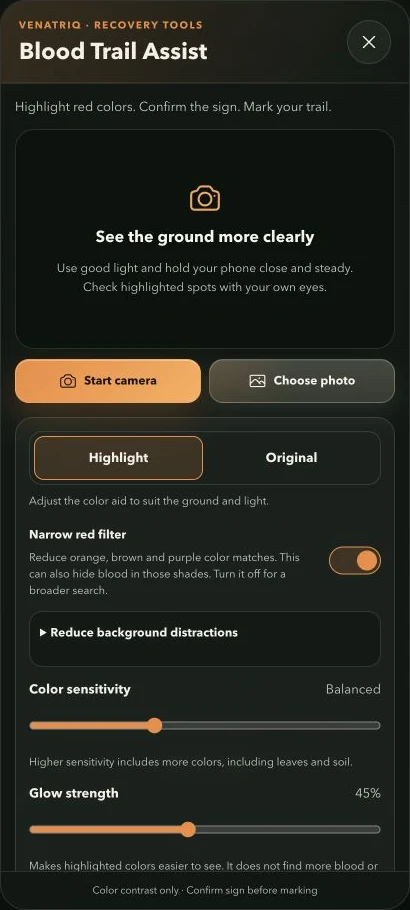
Start the camera or choose a photo, then inspect highlighted colors yourself. The tool is a contrast aid, not confirmed blood detection. - 02
Use color contrast carefully
Adjust sensitivity and glow for the ground and lighting. Red leaves, soil and objects can also be highlighted. Inspect any possible sign directly before marking it.
Scout or Apex.
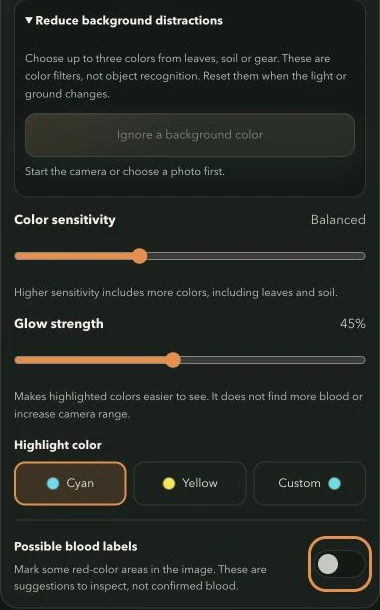
Tune background colors and sensitivity before increasing glow. Color filters can also hide blood in similar shades; verify every possible sign. - 03
Record confirmed observations
Return to Tools and add field pins for sign you have confirmed. Keep notes so you can review the sequence rather than relying on the camera highlight alone.
Feature and membership limits apply.
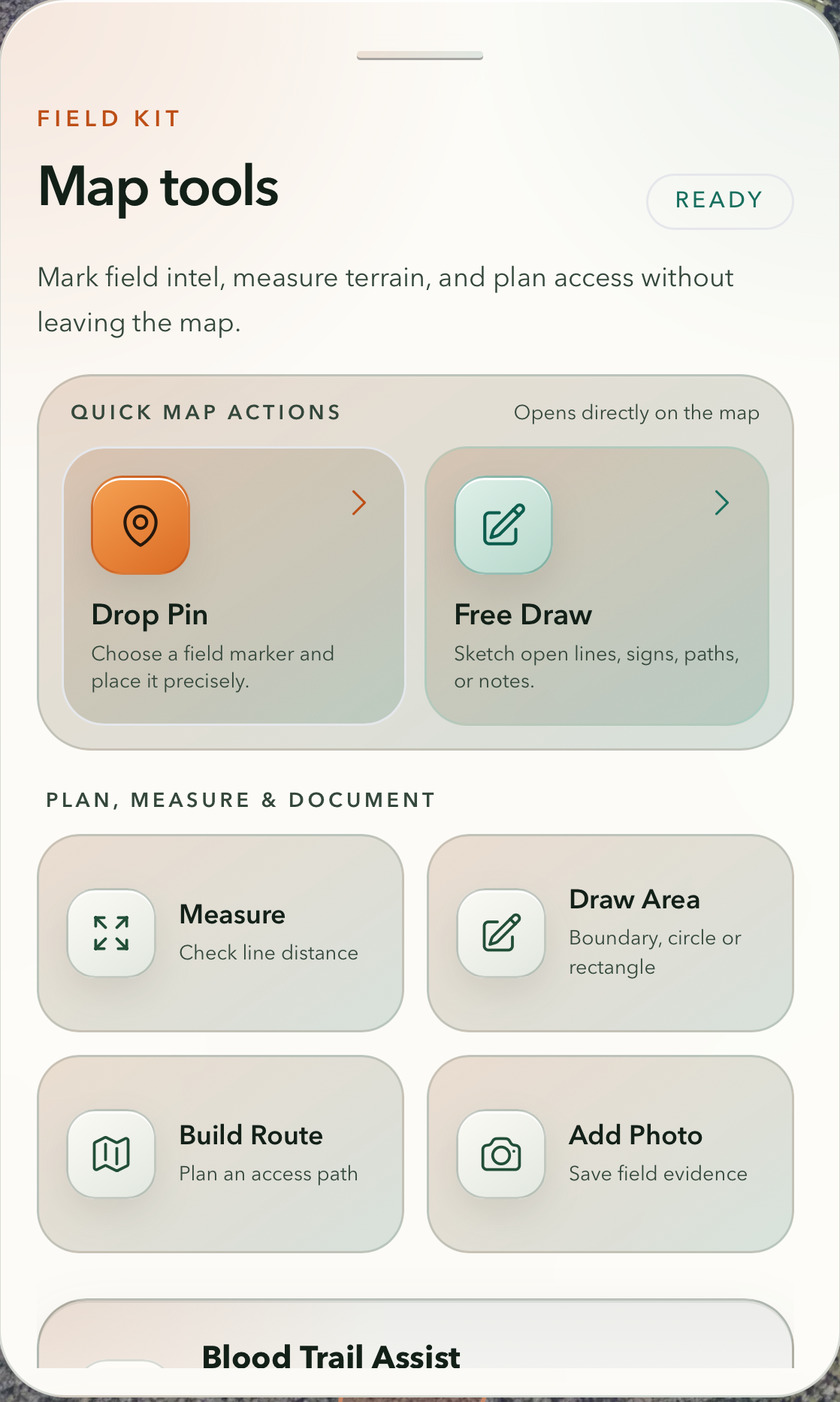
Make the map yours · Show the complete app screenshot.