VENATRIQ FIELD GUIDE · Read the wind
Check the wind before you choose your approach
A good scouting plan connects the conditions to the places you want to investigate. Use these three checks before heading into the field.
3 practical steps · Real app walkthroughWATCH THE QUICK WALKTHROUGH
See the feature in 24 seconds.
A silent walkthrough with real VENATRIQ screens and on-screen instructions. The complete steps and feature details are also written below.
Download the how-to clip →- 01
Check conditions for your map area
Open Hunt Intel and choose Forecast. Check the location and observation time so you know which conditions you are reviewing.
Feature and membership limits apply.
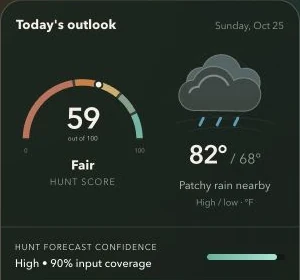
Read the score alongside weather and evidence coverage. This captured outlook is an example, not a current forecast or a guarantee of animal activity. - 02
Compare your setup with the terrain
Find your saved setup on the map. Use the wind indicator and the terrain around it to think through an approach. A north wind comes from the north and blows toward the south.
Scout or Apex, subject to state coverage.
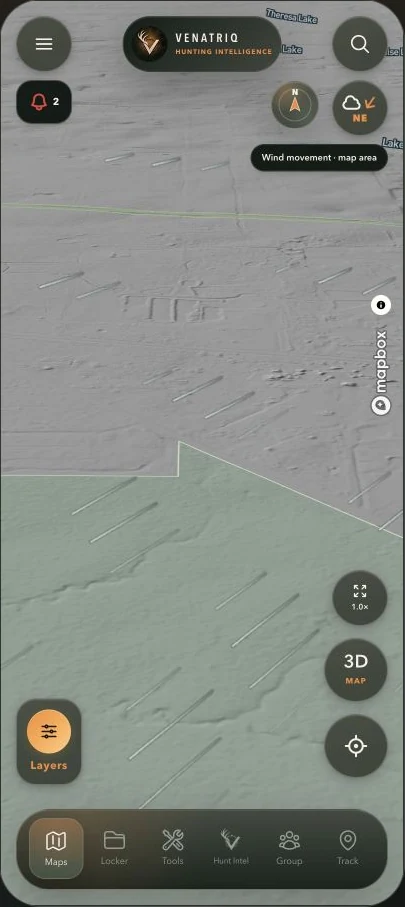
Wind movement illustrates the map area’s latest available wind. Local ground conditions can differ from the forecast. · Map attribution retained: Mapbox. - 03
Mark what you want to field check
Open Tools to add a pin or sketch an approach. Check access and the actual wind in the field before deciding where to walk or sit.
Feature and membership limits apply.
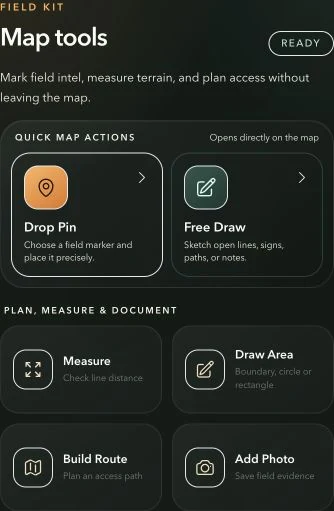
Use the tool that matches the job: sketch, measure, outline an area or build a route.