VENATRIQ FIELD GUIDE · Build a hunt plan
Turn a selected hunt area into a field plan
Give Hunt Intel a clear area and useful context, then review its suggestions alongside what you already know from the field.
3 practical steps · Real app walkthroughWATCH THE QUICK WALKTHROUGH
See the feature in 28 seconds.
A silent walkthrough with real VENATRIQ screens and on-screen instructions. The complete steps and feature details are also written below.
Download the how-to clip →- 01
Choose the area you want to study
Open Hunt Intel, then Hunt plans. Choose your hunt area and review the selected species, method, hunting period and preferred range before generating the plan.
Feature and membership limits apply.
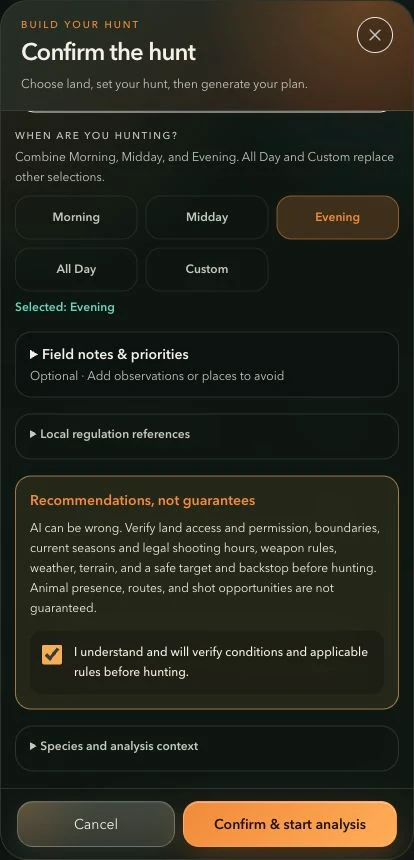
Review the hunting period, optional notes and verification notice before starting analysis. - 02
Review the mapped suggestions
Look at the suggested setups and habitat areas on the map. Compare the reasoning with your own observations; inferred habitat is a hypothesis to investigate.
Feature and membership limits apply.
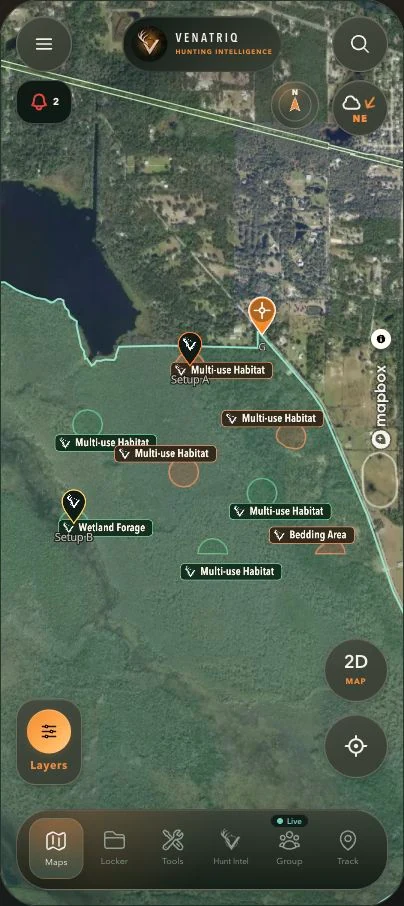
Inspect the mapped suggestions alongside the real land and available evidence. AI habitat areas are hypotheses to field-check. · Map imagery and attribution: Mapbox. - 03
Keep useful field evidence
Use Tools to save pins and notes when you scout. Verify access, conditions and the actual ground before relying on a suggested setup.
Feature and membership limits apply.
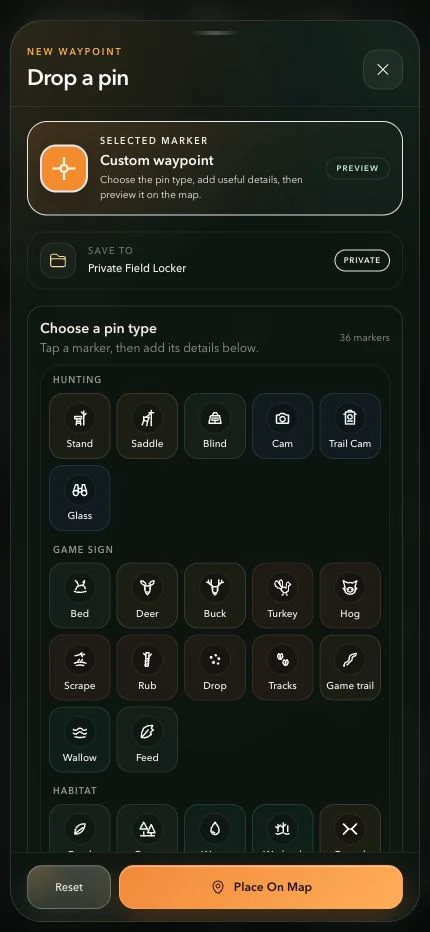
Choose a recognizable marker and check the save destination before placing your pin. More marker categories are available by scrolling.